
How Small Shop Owners Can Create UGC-Style Ads Without Hiring Creators

Learn how small shop owners can use an AI UGC Ads video generator to create and test product ads without hiring creators, with practical tips for improving results.
Small shop owners may need regular video ads but lack the time or budget to hire creators and arrange product shoots. An AI UGC Ads video generator can turn product images and scripts into presenter-led promotional videos, offering a practical way to create content for new products, seasonal campaigns, or ad testing.
The quality of the final video still depends on the materials provided and how the content is reviewed. This guide explains how the tool works, why it may suit small businesses, and how to create UGC-style ads that are clear, accurate, and useful for testing.
What Is an AI UGC Ads Video Generator and Why Use Pollo AI?
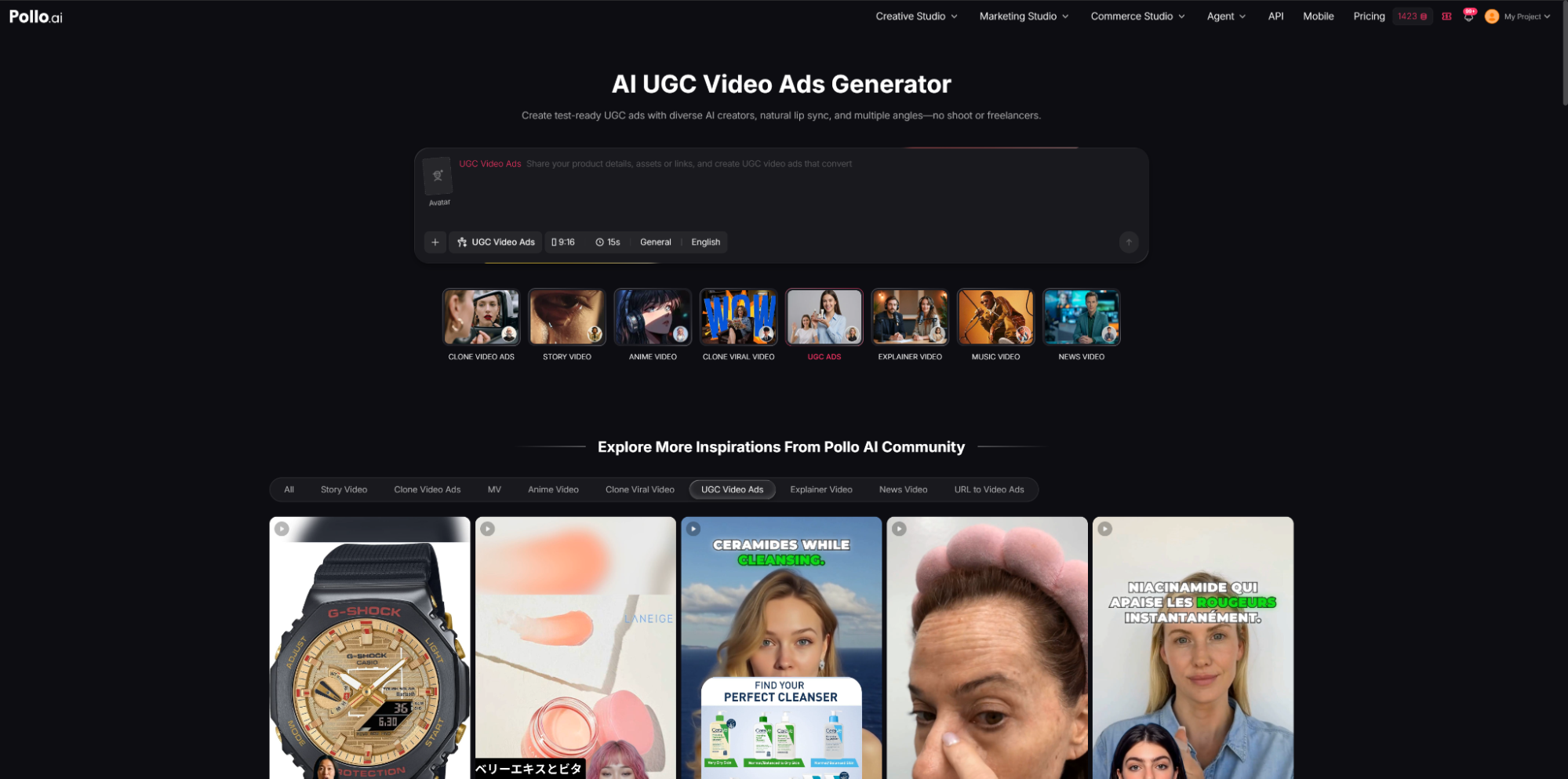
An AI UGC Ads video generator creates promotional videos in a conversational, creator-style format. Instead of filming a person, users provide inputs such as a product image and script, while the tool generates a presenter, voice, and spoken delivery.
Pollo AI’s AI UGC Video Ads Generator supports AI presenters, custom scripts, voice options, and lip-synced speech. Users can also create different versions by changing the message or presentation, making it easier to test several advertising ideas without arranging a separate shoot for each one.
For small shops, this can simplify the production of product introductions and short promotional videos. It is particularly useful when a business needs several creative variations but does not have the resources to organize a new creator collaboration for each campaign.
Why Small Shop Owners May Use an AI UGC Ads Video Generator
Hiring creators can involve finding suitable talent, sending products, discussing briefs, and waiting for completed content. This may be worthwhile for major campaigns but difficult to repeat for every product or seasonal promotion.
AI-generated UGC-style videos provide another option. Small businesses can reuse existing product images, test different scripts, and create multiple ad variations without organizing a new collaboration each time. For businesses exploring different video styles, tools such as the DeepAI video generator available through the Pollo AI ecosystem can also provide additional creative options. This flexibility can be useful for stores with changing inventory or businesses that want to compare several product messages before investing in a larger campaign.
The main benefit is flexibility rather than complete automation. AI-generated videos can speed up content production, but they still require clear inputs and careful review. They may work well for straightforward product messages, while detailed demonstrations, genuine customer stories, and highly personal campaigns may still benefit from real creators or original footage.
How Small Shop Owners Can Create UGC-Style Ads with an AI UGC Ads Video Generator
1. Choose One Product and One Goal
Select one product and decide what the video should achieve. It may introduce a new item, highlight a useful feature, answer a common customer question, or promote a limited-time offer.
For example:
“Need a quick afternoon pick-me-up? Our new cold brew is smooth, refreshing, and available for pickup today.”
Keep the goal narrow. A short video that introduces a product, lists every feature, announces a discount, and asks viewers to follow an account can feel rushed. If several messages are important, they are usually better tested in separate versions.
2. Use a Clear and Accurate Product Image
Choose a well-lit image in which the product is easy to see. The image should match the item currently being sold, including its packaging, color, and version.
Simple product photos generally work better than images with large amounts of text, several products, or busy backgrounds. If customers need to inspect small details or see the product being used, a real product clip may be more reliable than generated visuals. Businesses should also avoid using outdated product images, as the video may create expectations that the current listing cannot meet.
3. Write a Short, Conversational Script
A clear UGC-style script usually follows a simple flow: begin with a problem, need, or question that may catch the viewer’s attention; briefly introduce the product; explain one or two useful benefits; and end with a clear next step.
For example:
“Need a simple way to organize your desk? This compact storage tray keeps small items together without taking up much space. It comes in three colors and is available in our online store.”
Short, natural sentences generally work better than long descriptions or technical specifications. The script should also avoid exaggerated or unsupported claims. If the generated delivery sounds awkward, rewriting the sentence may be more effective than repeatedly generating the same script.
For example:
“Need a simple way to organize your desk? This compact storage tray keeps small items together without taking up much space. It comes in three colors and is available in our online store.”
Short, natural sentences usually work better than long descriptions or technical specifications. The script should also avoid exaggerated or unsupported claims. If the generated delivery sounds awkward, rewriting the sentence may be more effective than repeatedly generating the same script.
4. Select a Suitable Presenter and Voice
Choose a presenter and voice that fit the product and intended audience. A casual delivery may suit lifestyle products, while a clearer, more professional style may work better for practical products or services.
Pollo AI provides AI presenters and voice options with lip-synced speech. After generating the video, check whether product names are pronounced correctly, whether the pacing is comfortable, and whether the lip movements look natural enough for the intended use.
The presenter should support the product message rather than become the main focus. Businesses should also avoid presenting an AI-generated presenter as a real customer or using generated personal experiences as genuine testimonials.
5. Test Different Hooks
Create several versions by changing one major element, such as the opening message.
A home-goods store could test:
- “A simple way to organize a crowded kitchen.”
- “This compact tool helps save counter space.”
- “Looking for a useful housewarming gift?”
The product and main message can remain the same while each opening focuses on a different customer need. Avoid changing the hook, presenter, voice, and call to action all at once. Keeping most elements consistent makes it easier to understand which change may have affected performance.
Before generating many versions, businesses should also check the available credits, generation limits, and the cost of additional outputs.
6. Review the Video Before Publishing
Check the video carefully before posting. The product should match the current listing, and prices, promotions, product details, and claims should all be accurate.
Review the voice, lip-sync, pacing, and overall presentation. Watch the video with and without sound because some viewers may encounter social ads with audio muted. Important information should therefore be visible or understandable even without the voiceover.
If the video contains a personal opinion or product experience, it should not be presented as genuine customer feedback when it was generated by AI.
7. Measure Results and Improve the Next Version
After publishing, review metrics that match the campaign goal, such as watch time, clicks, product-page visits, inquiries, or sales. Views alone may not show whether an ad is helping the business.
If one version generates more useful actions, its opening message or product angle may be worth testing further. Businesses should avoid making decisions from a very small number of views and give each version enough traffic before comparing results.
Conclusion
An AI UGC Ads video generator can help small shop owners create product-focused videos without hiring creators or arranging a full shoot. It may be useful for product introductions, promotional variations, and early creative testing.
For better results, businesses should use accurate product images, keep scripts focused, test one major change at a time, and review every video before publishing. AI-generated content can support a small business’s marketing workflow, while real creators and original footage may remain more suitable for detailed demonstrations, genuine reviews, or highly personal campaigns.