
Online PDF Tools and Software For Editing and Converting Work
Explore The Best 8 PDF Tools and Software that you can use in everyday tasks of Office and School. As the world becomes more digitized, you will almost certainly come across a PDF document. PDF files include bank and tax statements, ebooks, quotes, contacts, records, invoices, forms, resumes, and a range of other papers.
Because it is a widely used, globally compatible format, PDF is used by a large number of individuals across a wide range of vocations.
Misplaced, lost, or misfiled documents are common and can be highly costly for businesses. When a tangible document is needed, it may be hard to find.
PDF tools may save you a lot of time in this situation, especially if you have a critical document to send. We have put up a list of helpful PDF resources to help you navigate through the mess and make life simpler.
Top PDF Tools for Office Admins & Students to Ease Their Workflow
SmallPDF
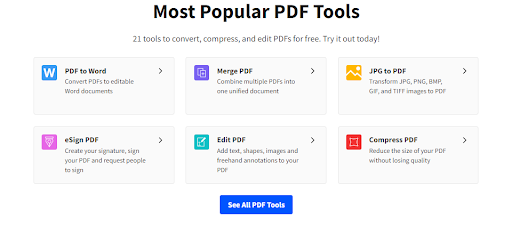
Do you require a specific format, or do you need a file converted or compressed? Is everything starting to fall apart? Files may be merged and divided with the SmallPDF online tool, and unwanted pages can be easily removed.
Smallpdf contains practically everything you might want for your PDF files. You can also convert PDF to Word. With only a few mouse clicks, you can combine, divide, compress, and rotate PDF files. PDF files may also be quickly and easily converted.
There is no longer any need to switch between applications or software! Save time by immediately saving, organizing, and sharing files across several devices from their website.
SmallPDF offers a 7-day PRO trial for premium features and tools, after which you can pay yearly or monthly for the full version. Given its seamless features, it is not a terrible investment.
Advantages:
- User-Friendly Interface
- Accessibility on the Internet
- Direct Integration of Conversion Tools
- Dropbox And Google Drive Documents Access
Disadvantages:
- Uploads Could Be Slow
- There is no way to organize single PDF files.
- After 1 hour, the files are deleted.
- Only 21 Tools in a Free Plan.
- Only 2 Docs Processed Per Day
Mergepdf.io
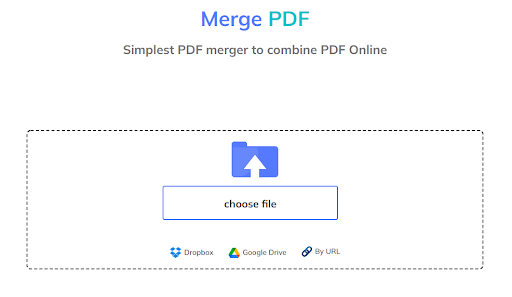
A PDF merging tool may be necessary for a variety of reasons. Here are some further insights on the topic. As we mentioned earlier, the PDF format is quite reliable, but it can be tough to work with at times, especially when merging a large number of documents.
If you do not want to spend a lot of time classifying and organizing your documents, all you need is a simple PDF solution like Mergepdf.io to merge them into a single document. Text, images, graphs, and other vector elements may all be included in PDF files.
As a result, managing all the content in the PDF document can be challenging, and some of those files may cause problems for users.
Mergepdf.io is one of our most reliable and fastest options for combining multiple PDF files into a single document.
Splitpdf.io
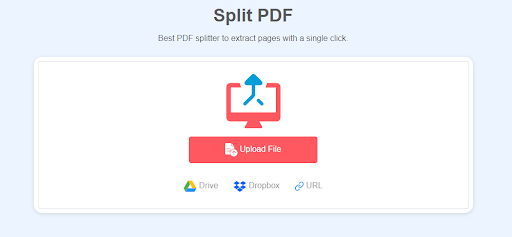
PDF splitters, such as “splitpdf.io,” split large PDF files into smaller chunks. This is an excellent choice if you need to share or upload a large PDF file, or if you want to print it in small sections. Splitting a PDF file is straightforward.
To begin, select the PDF file you want to split. You may either drag and drop the desired file into the allocated area or upload it directly from your file explorer or from any archive where you saved it after you arrive at splitpdf.io. The number of the PDF files you wish to produce must then be specified.
Finally, click the Split button to commence the procedure. SplitPDF will create a detached individual PDF file for every single page you choose. Although there are various techniques to achieve the same result, the SplitPDF tool is one of the most efficient and convenient.
TextToPDF.net
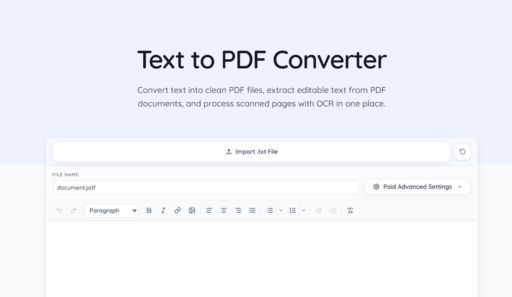
TextToPDF.net is a focused online PDF tool for people who mainly work with text based documents. It can help you convert pasted text or .txt files into PDF, extract text from normal PDF files, and use OCR when the PDF is scanned or files containing images.
This tool is useful for students, office users, writers, and anyone who needs a clean document conversion workflow without using heavy PDF software. The interface is direct, so users can paste text, import a text file, prepare the content, preview the PDF, and download the final file.
TextToPDF.net is not a full PDF editor like some larger tools. It is better suited for text to PDF, PDF to text, and scanned PDF to text tasks where the main goal is conversion and readable output.
Redactable

Redactable is the perfect solution for anyone who wants to protect their privacy. This software allows users to easily and quickly remove sensitive information from documents before they are sent for publication or sharing.
Enter the text you want to redact, and the program will handle the rest. There is no need to spend hours painstakingly removing every last piece of information; with Redactable, you can remove it all in a matter of minutes.
Whether you’re working on confidential documents, trying to keep your personal life private, or avoiding embarrassment in front of friends and family, Redactable is the perfect solution.
Also Read: Best PDF to Excel Converters
Exceltopdf.net
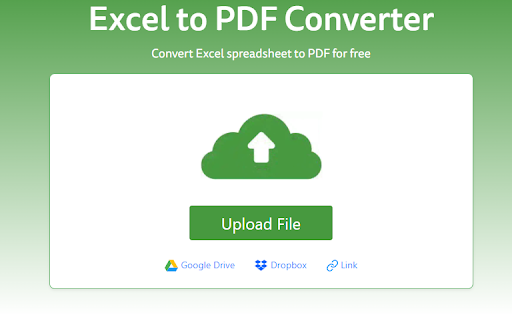
Excel files, as we all know, are not always easy to work with. Using an Excel to PDF converter, you can easily convert Excel spreadsheets into customizable or even printable files for your device.
Microsoft Excel is one of the most widely used documents and record-keeping formats in the world, with millions of users. However, as previously stated, users may be concerned about sharing and/or modifying sensitive Excel files with others.
If you email someone an Excel-formatted sheet, for example, there is a chance it will get corrupted or altered during transmission. Converting Excel sheet files to PDFs is an excellent way to avoid this.
The Exceltopdf converter is both free to use and has a simple interface, making it ideal for the task at hand. All Excel (CSV, XLS, XLSX) files are reliably converted to PDF with all formatting features preserved using the Exceltopdf conversion tool.
There are various online PDF tools available for converting MS Excel spreadsheets to PDF report format, but exceltopdf.net is one of the best.
Ilovepdf
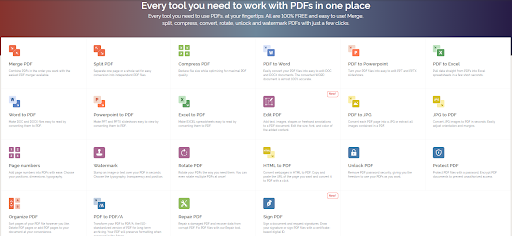
ILovePDF is a simple online PDF editing utility tool that we placed number five. This web tool is incredibly flexible since it can compress, unlock, convert, combine, divide, and even watermark PDF files.
This online tool lets users access data directly from cloud storage, which is quite useful if all your files are stored online. PDF Editors provide you with a variety of tasks, including viewing, editing, changing orientation, highlighting, and more.
You may use the ILovePDF tool to edit, create, annotate, amend, add watermarks, resize, rotate, and encrypt PDFs. You can quickly switch between viewing modes, and the drag-and-drop tool makes navigation simple.
These solutions have a basic user interface that lets users navigate their features and perform PDF-related tasks quickly.
PDF Candy
We are talking about scanning, different file conversion choices, and OCR. While the free edition has all the premium version’s features, it is limited to one PDF job per hour.
PDF Candy is a rare find, offering top-notch scanning, several file conversion options, OCR functionality, and other features you’d expect to pay extra for.
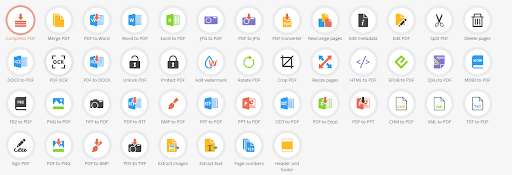
The web-based editor is presented as a collection of distinct tool icons accessible from a single landing page, rather than as a unified interface.
There are 44 tools for producing, editing, and converting PDFs in total. Choose one, upload the desired documents, and wait for PDF Candy to do the job.
Advantages:
- Ease of Use
- Multiple Advanced Options
- OCR Integration
Disadvantages:
- Lack of a Single Interface may be confusing
- 1 ask per hour in the free version
Also Read: Online Grammar Checkers
Adobe Acrobat

When using the Adobe Acrobat online tool, you have the option to edit PDF files; you can reorder, delete, merge, split, compress, convert, and do a lot more with your document files.
If you wish to reorder individual pages in your PDF, you will need to sign in. You may rearrange your PDF pages by adding, deleting, moving, or rotating them as needed.
When you are done with your desired process, share your file with others so they can review it and provide comments. The file may be viewed on any operating system, including Mac, Windows, and Linux, using any internet browser, including Google Chrome.
The best alternative solutions are built on a comprehensive mix of creation, editing, reviewing, and security capabilities, but we believe Acrobat still does the best job.
Its latest interface overhaul makes navigating its complex toolset much easier than before, and its cloud subscription option makes its sophisticated capabilities more accessible to individuals and small organizations.
Advantages:
- Tabbed UI with easy navigation
- Features for modifying PDFs in depth
- Filling out forms and getting signatures is easier with the simplified sharing option.
- For rapid searches, text indexing is used.
- Commenting and sharing over the cloud.
Disadvantages:
- For new users, the extensive feature set might be daunting.
- It can be quite expensive
A Trustworthy PDF Tool Can Assist You With the Following Tasks
- Providing material with information, amending it, and adding comments.
- Making modifications to a report, such as adding or removing photos or other information, takes time.
- Using a PDF Document to Make Multiple Files Using Multiple Documents to Create a Single Document
- Fill out or make changes to a PDF form.
- Using Excel Spreadsheets to Create PDF Documents
- A PDF report may be signed and shared online.
Also Read: Nippyfile – The Ultimate File Sharing Platform
Conclusion
There is a range of PDF document tools to choose from, but one of the most crucial aspects is to consider their compatibility with a range of devices and search engines, as well as the features that make them very easy for users to use.
If you do not have a good method for managing and organizing files, you will waste time, become irritated, and have safety concerns, among other problems.