
Best Business Card Maker in 2026: Six Tools Compared
A professional business card should do more than display your contact information. It should reflect your brand, make a strong first impression, and help your business stand out.
Design.com is our top pick for the best business card maker in 2026 with its AI-assisted design tools, customizable templates, and automatic branding features. Still, other platforms offer different strengths, from flexible editing tools to premium printing options.
This guide compares six business card makers based on their design features, ease of use, pricing, and printing options to help you find the right fit.
Best Business Card Makers at a Glance
Here’s a quick comparison of the six business card makers highlighting their strengths, free options, and starting prices.
| Platform | Best for | Free option | Starting paid price |
| Design.com | Overall business card creation | Yes | $6/month annually |
| BrandCrowd | Logo-matched business cards | Yes | $3/month annually |
| Canva | Easy customization | Yes | $18/month |
| VistaPrint | Professional printing | Design tools | Varies by order |
| MOO | Premium business cards | Design tools | $23 for 50 cards |
| Zazzle | Unique business card templates | Design tools | Varies by order |
The 6 Best Business Card Makers in 2026
Here’s a closer look at the six best business card makers in 2026, using Skyline Developments, a fictional construction firm, as our sample business to compare their designs and features.
1. Design.com — Best Overall Business Card Maker
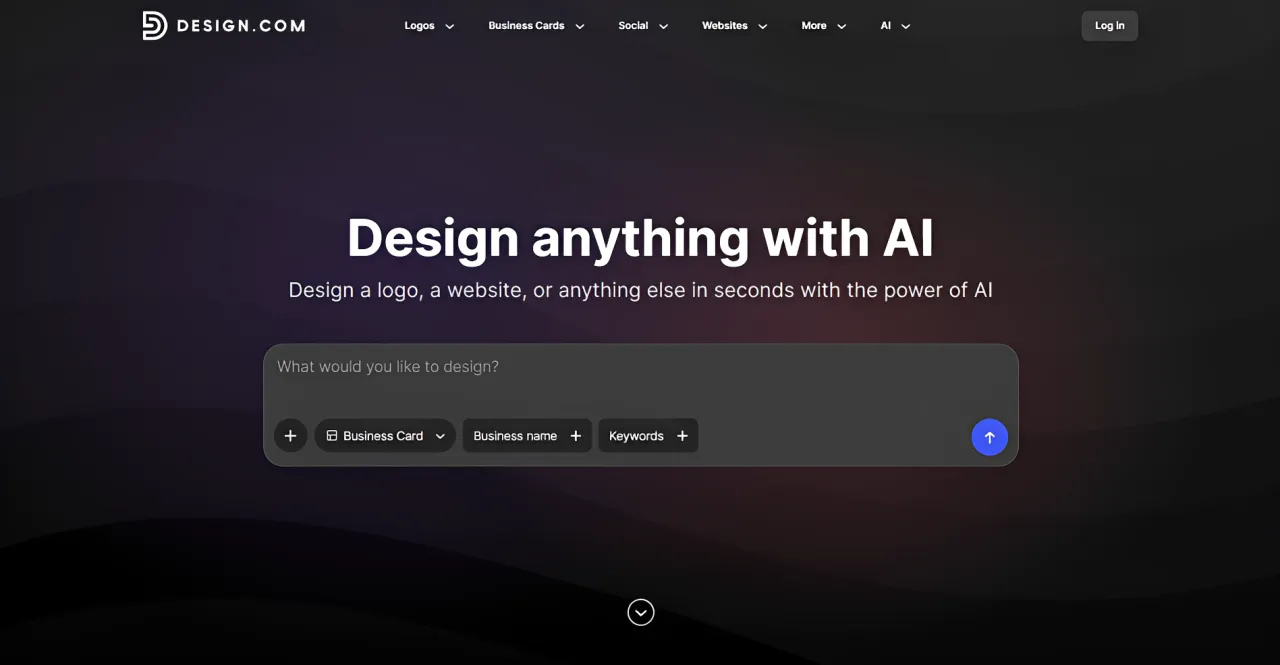
Design.com is an AI-powered branding platform that helps you create professional, high-quality logos and fully branded marketing materials in minutes. Its business card maker generates thousands of design options from your prompt with your business name and description. Choose your preferred concept and customize it using a beginner-friendly editor.
Once you’re happy with your design, you can download it in high-resolution PNG and JPG formats or print-ready vector formats such as SVG, EPS, and PDF. Design.com also offers professional printing for 250 to 5,000 cards, with single-sided or double-sided layouts, matte or glossy finishes, and square or rounded corners.
Key Features:
- 20,000+ professionally designed business card templates
- AI-assisted design generation using your business name or keywords
- Customizable fonts, colors, layouts, gradients, and shapes
- Automatic logo color matching and support for uploaded logos
- High-resolution PNG and JPG downloads, plus SVG, EPS, and PDF vector files
- Printing options for 250–5,000 cards, with matte or glossy finishes and square or rounded corners
What We Liked:
- Quick design generation helps you create professional cards without design experience.
- Automatic branding keeps your business cards consistent with other marketing materials.
- Flexible editing, multiple design variations, and commercial printing options give you more control over the final design.
Pricing:
Design.com offers free business card templates that you can customize and download. Paid subscriptions start at $6/month billed annually or $9/month billed monthly, giving you access to premium designs, unlimited edits, and additional branding tools.
Physical printing is priced separately based on your selected card specifications, with free worldwide shipping available.
Sample Business Card:
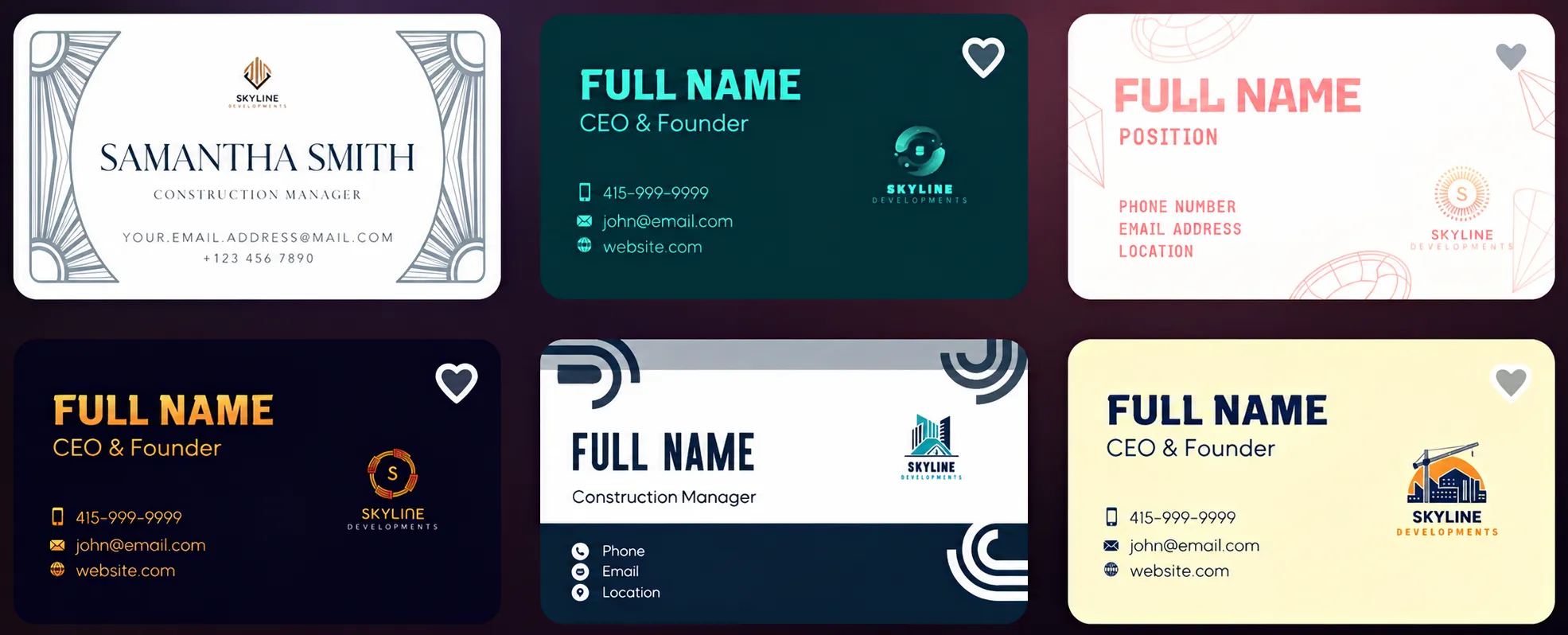
Design.com generated thousands of business card designs for Skyline Developments from a simple text prompt. We selected six samples showcasing different construction-themed logos, color combinations, and layouts, from minimalist designs to bold, modern styles. Each design features a distinct visual identity, giving you plenty of options to explore and customize for your brand.
2. BrandCrowd — Best for Logo-Matched Business Cards
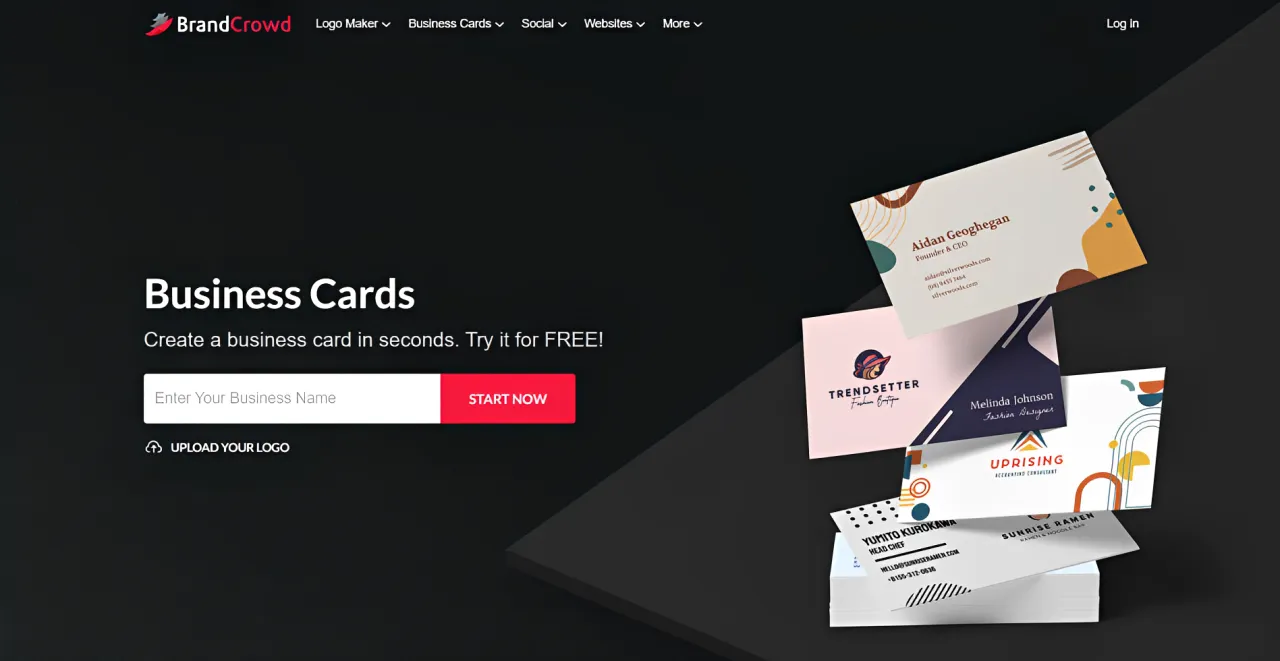
BrandCrowd makes it easy to create business cards that match your company logo. Its business card maker offers 20,000+ designer-created templates for different industries. Simply enter your business name and keywords to generate designs, then customize the colors, fonts, backgrounds, and layouts to match your brand.
Key Features:
- 20,000+ professionally designed business card templates
- Business card generation using your company name and logo
- Editable typography, colors, backgrounds, and icon positioning
- High-resolution and vector downloads in SVG, EPS, and PDF
- Saved designs with unlimited editing under a subscription
- Printing for 250–5,000 cards, including double-sided layouts and multiple finishes
What We Liked:
- Logo integration helps you maintain consistent branding across your business cards.
- Professionally designed layouts make it easy to create cards without design experience.
- Saved designs and print-ready files let you update and reuse your business cards anytime.
Pricing:
BrandCrowd offers free business card templates, while paid plans start at $3/month billed annually for unlimited edits and high-resolution downloads. Printing costs extra, with free worldwide shipping.
Sample Business Card:
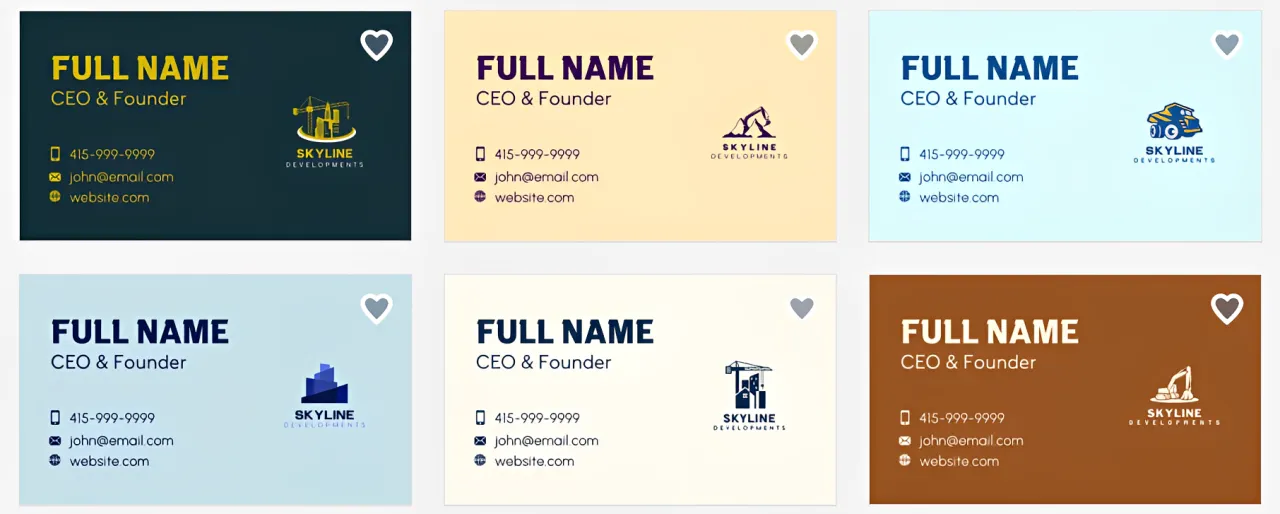
BrandCrowd generated thousands of business card designs for Skyline Developments, featuring different construction-themed logos, color combinations, and layouts. We selected six samples to showcase the variety of styles available. The designs use consistent contact information and typography, making it easy to compare styles and choose one that suits the company’s branding.
3. Canva — Best for Easy Customization
Canva is a popular online design platform with a drag-and-drop editor that makes business card creation easy, even without design experience. It provides customizable templates for different industries, plus Canva AI that generates designs from prompts. You can adjust text, logos, colors, and layouts, create a card from scratch, or order printed copies directly through the platform.
Key Features:
- Customizable business card templates across different industries
- Drag-and-drop editor with fonts, graphics, shapes, and images
- Logo uploads and access to stock design elements
- PDF Print exports and business card printing services
- Collaboration tools for sharing and reviewing designs
What We Liked:
- Beginner-friendly editing makes customization straightforward.
- Extensive design resources support different business styles.
- Collaboration tools are useful when multiple people need to review a design.
Things to Consider:
- Some templates, graphics, and features require Canva Pro.
- SVG exports and transparent backgrounds require a paid subscription.
Pricing:
Canva offers free business card templates and basic editing tools, while Pro costs $18/month or $144/year for premium features. Physical printing costs extra.
Sample Business Card:
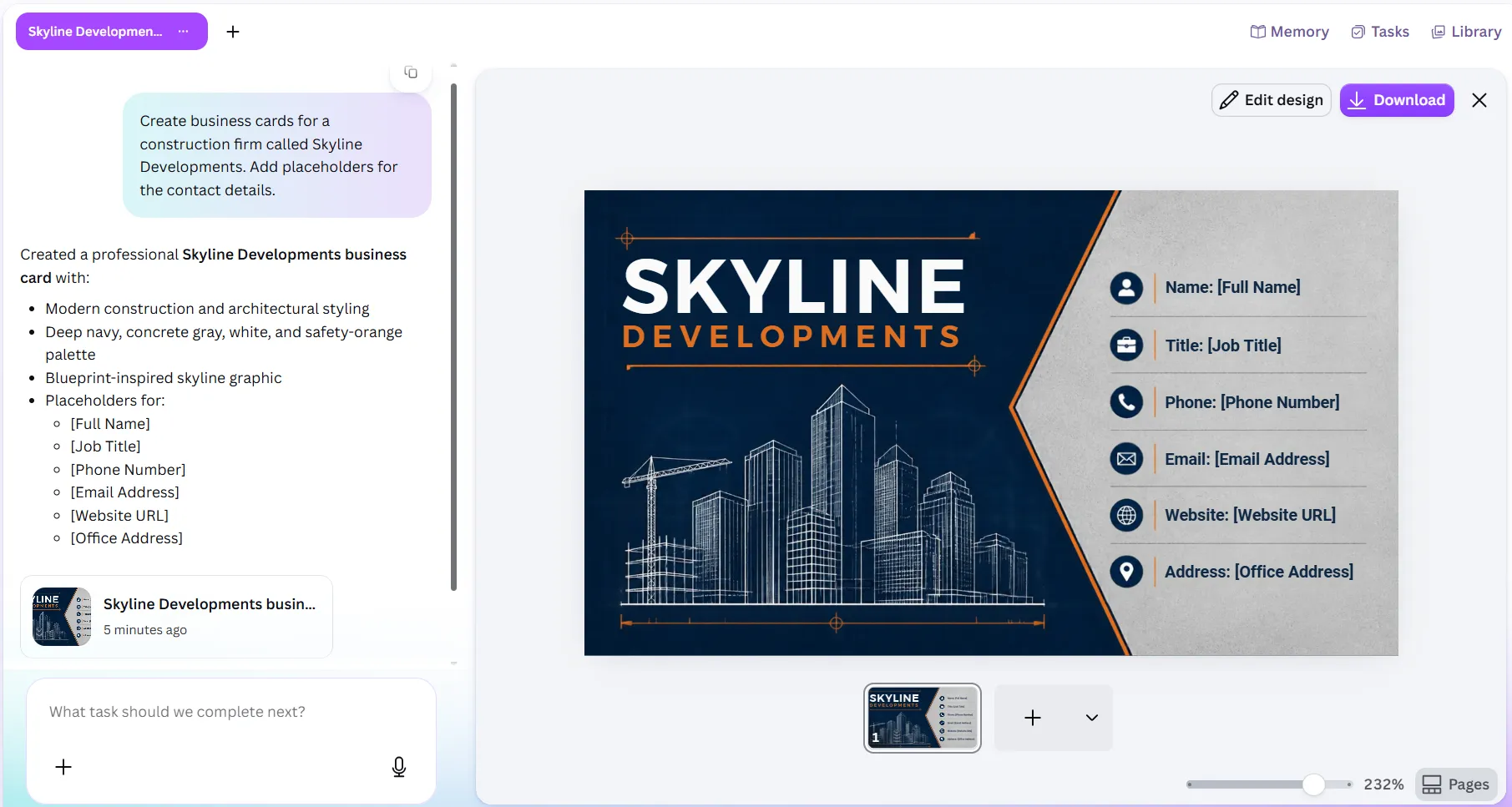
Canva AI generated a professional business card for Skyline Developments, but it provided only one design option, leaving no alternative styles or layouts to compare. Still, the design captures the construction industry’s professional aesthetic, with bold colors and a clean layout that makes the business details easy to read.
4. VistaPrint — Best for Professional Printing
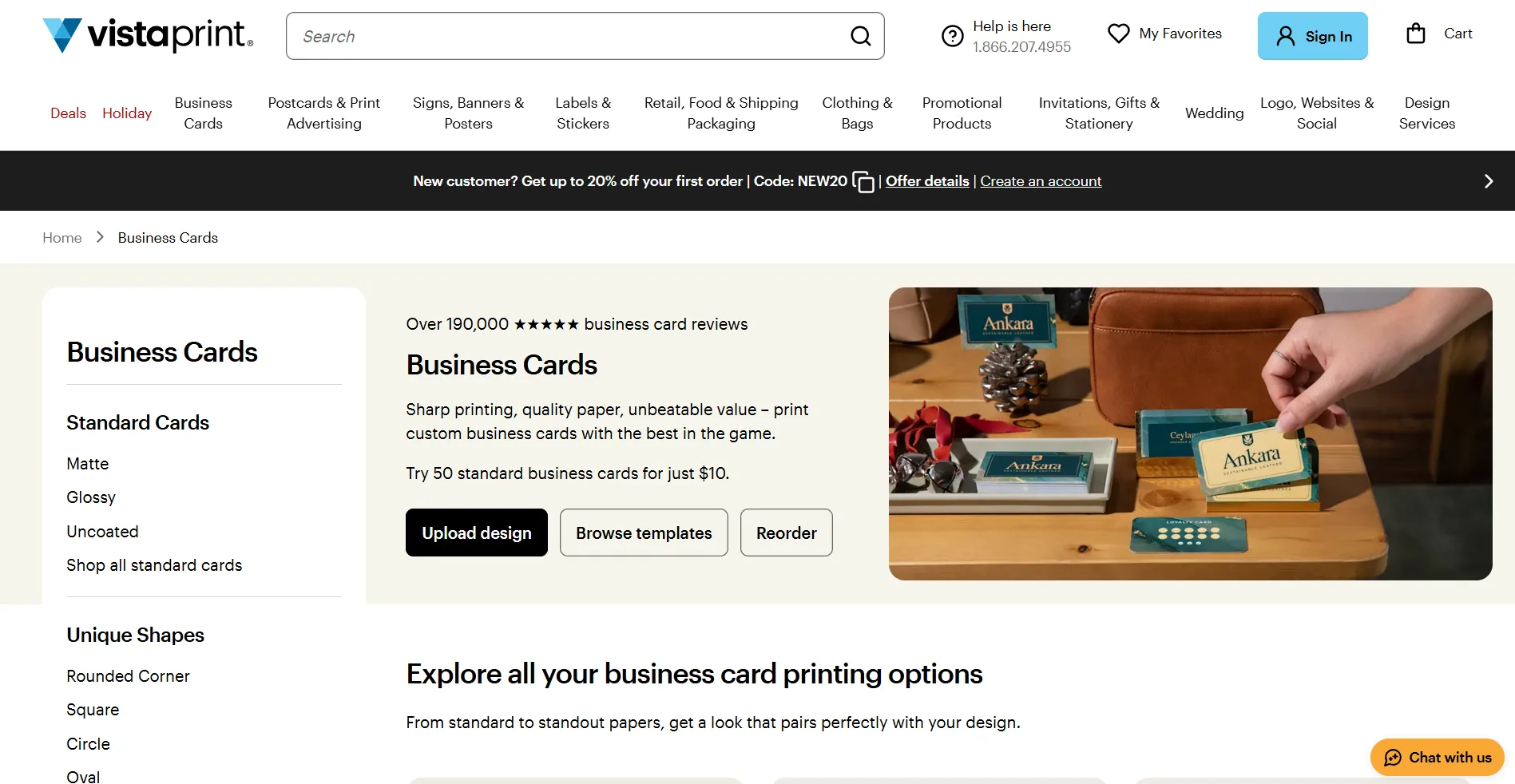
VistaPrint’s business card maker offers customizable templates, different paper stocks, finishes, and printing options to suit your budget. You can customize a template, upload your own design, or use its professional design services. With print quantities ranging from 50 to more than 10,000 cards, VistaPrint accommodates both small businesses and larger teams.
Key Features:
- Customizable business card templates and online design editor
- Upload your own logos, images, or completed designs
- Standard, premium, and specialty paper stocks with matte, glossy, or uncoated finishes
- Single-sided or double-sided printing with square or rounded corners
- Flexible print quantities with delivery services
What We Liked:
- Wide selection of printing options for different business needs.
- Flexible order quantities accommodate small and large print runs.
- Uploading your own designs makes ordering printed business cards easy.
Things to Consider:
- Premium finishes and paper upgrades increase the final cost.
- Design customization may be more limited than in dedicated graphic design editors.
Pricing:
VistaPrint’s pricing depends on your selected quantity, paper stock, and finish, with additional shipping costs.
Sample Business Card:
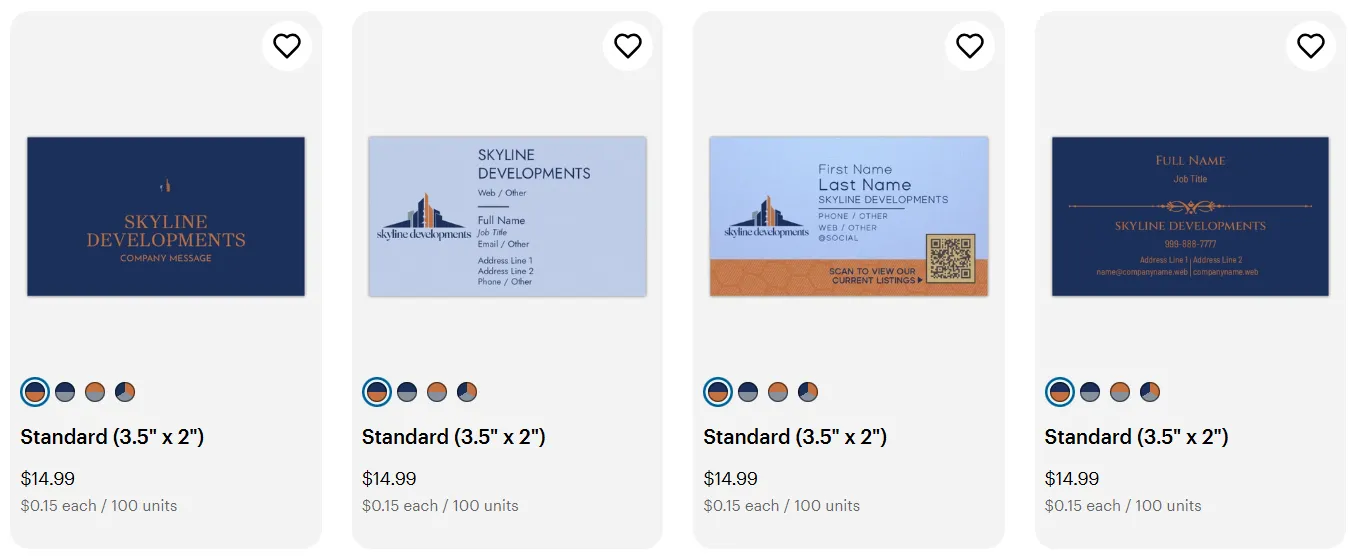
VistaPrint offers several customizable business card designs for Skyline Developments, featuring different layouts and consistent branding. We created a logo using VistaPrint’s logo maker and easily integrated it into the business card templates. The platform automatically carries over its navy-and-orange color scheme.
5. MOO — Best for Premium Business Cards
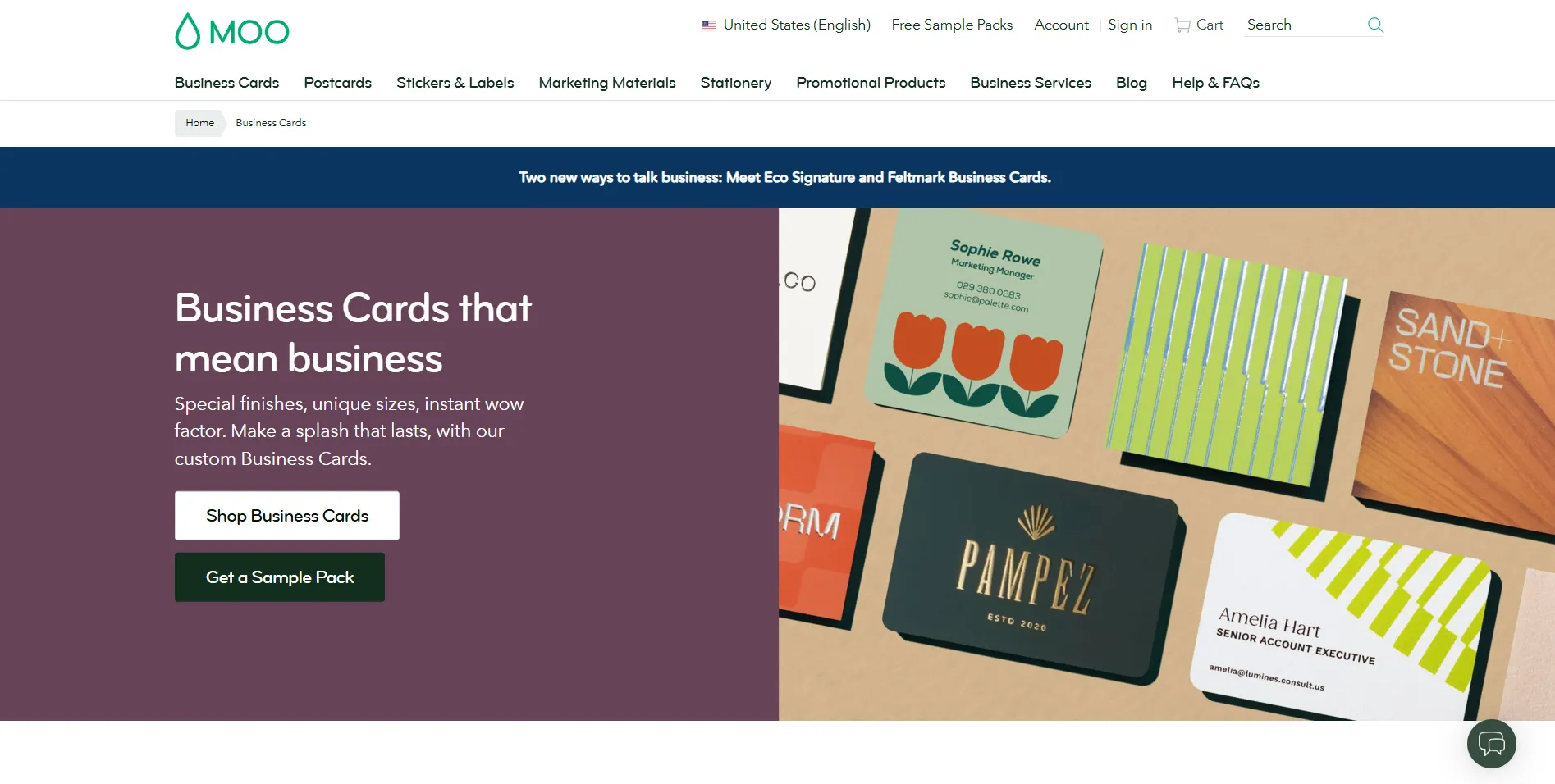
MOO specializes in premium business card printing, offering distinctive paper stocks, finishes, and sizes. You can customize its templates, design your card on the platform, or upload your own artwork. It offers specialty finishes such as gold foil, silver foil, raised spot gloss, and letterpress to make your cards stand out. MOO also provides Printfinity, which lets you print different designs on the backs of cards within the same pack.
Key Features:
- Customizable business card templates and online editing tools
- Multiple card sizes, including standard, square, mini, and MOO-sized
- Premium paper stocks and finishes, including gold foil, spot gloss, and letterpress
- Printfinity for multiple designs within one card pack
- Custom design uploads for professional printing
What We Liked:
- Premium materials help business cards stand out.
- Specialty finishes offer more distinctive design possibilities.
- Multiple sizes and printing formats support different creative needs.
Things to Consider:
- Premium printing can cost more than standard business card services.
- Better suited to businesses prioritizing print quality than those needing a complete branding platform.
Pricing:
MOO’s Original Business Cards start at $23 for 50 cards in the US, with premium paper stocks and specialty finishes costing extra.
Sample Business Card:
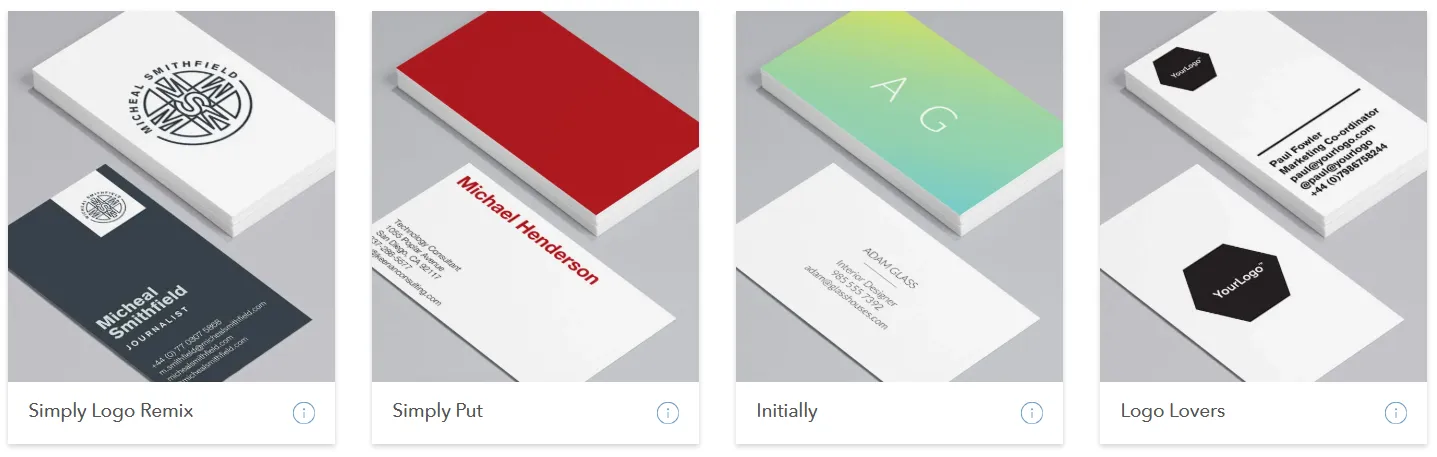
MOO offers a selection of business card templates with different layouts and visual styles. The examples shown include minimalist typography, bold color blocking, gradient backgrounds, and logo-focused designs. These templates provide starting points that you can customize with your own business details and branding.
6. Zazzle — Best for Unique Business Card Templates
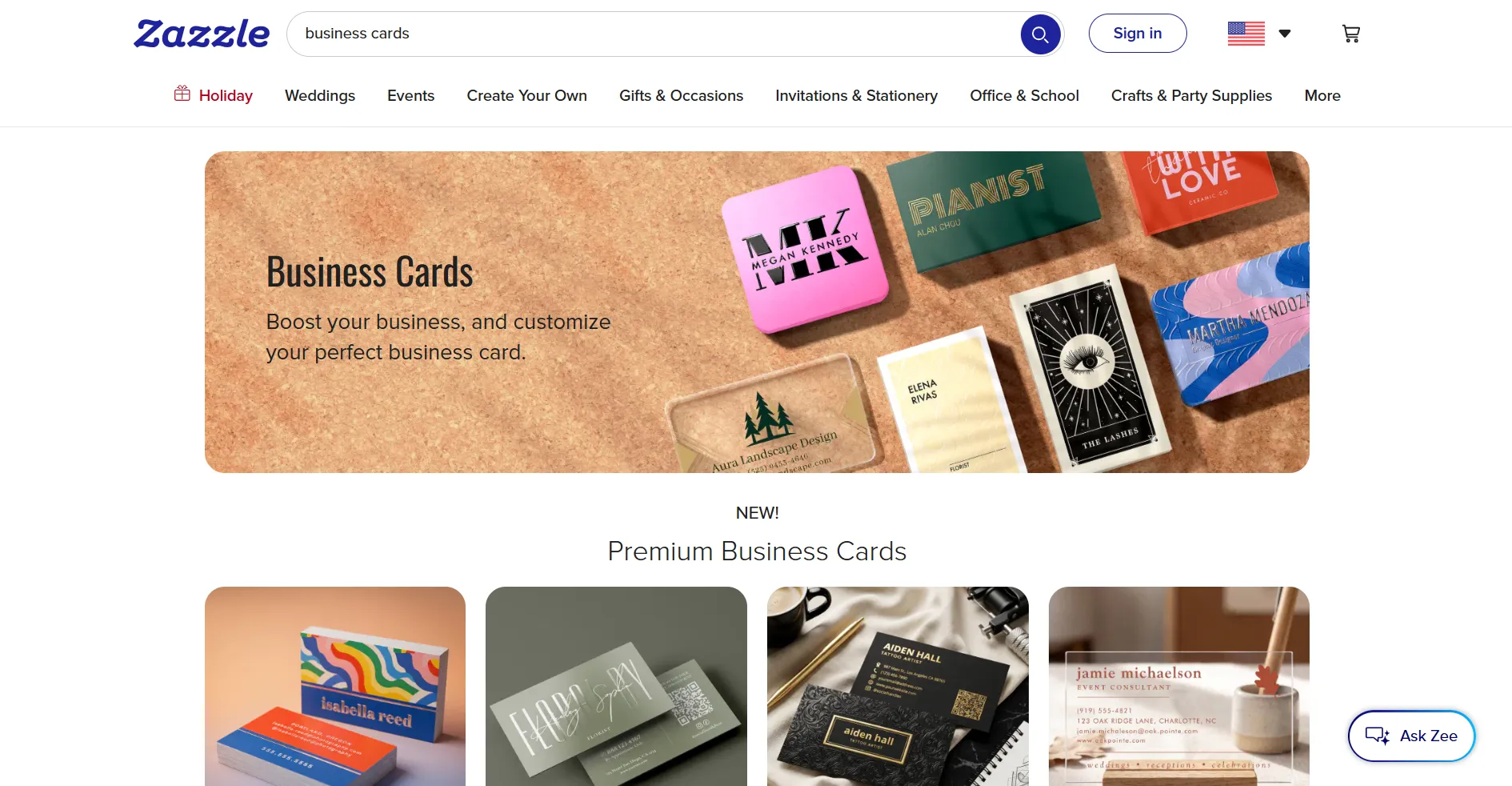
Zazzle is an online marketplace that lets you create personalized business cards using a wide selection of templates from independent designers. It has designs for different industries, including construction, real estate, and consulting. The platform also lets you customize the text, colors, images, and layouts to match your brand, then choose from different paper types, finishes, and card shapes before ordering printed copies.
Key Features:
- Wide selection of business card templates from independent designers
- Customizable text, fonts, colors, images, and layouts
- Industry-specific designs and personalized templates
- Different card sizes, paper stocks, and finishes
- Standard and rounded corner options
- Online ordering and delivery of printed business cards
What We Liked:
- Diverse template styles give you plenty of design options.
- Customization tools make it easy to personalize existing designs.
- Multiple printing options let you choose a finish that suits your brand.
Things to Consider:
- Design flexibility varies according to the template.
- Printing costs increase with premium paper and finishing options.
Pricing:
Zazzle lets you customize business card templates for free, while printed cards are priced based on quantity, paper type, and finish.
Sample Business Card:
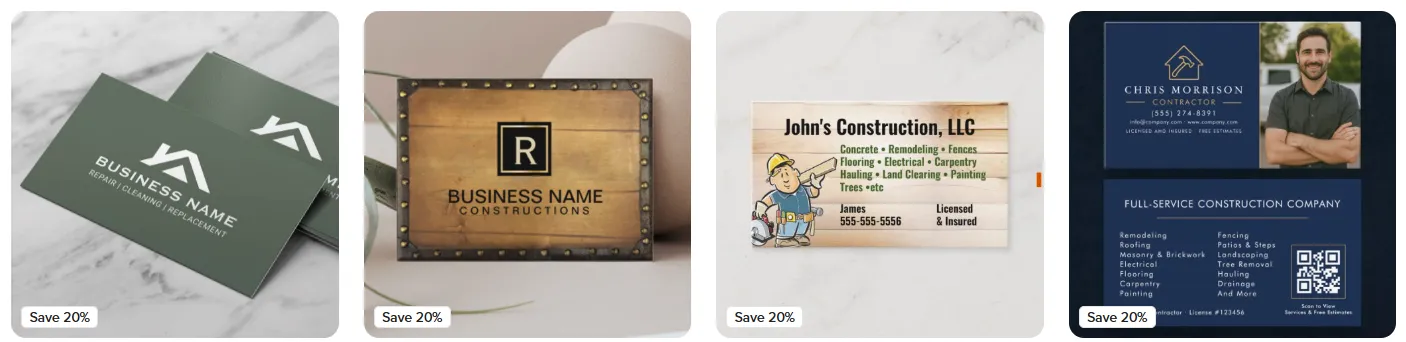
Zazzle offers a variety of construction-themed business card templates, from minimalist designs to more detailed layouts. The four examples feature different styles, including a modern green card, a rustic wood-and-metal design, an illustrated construction card, and a professional layout with a photo and QR code.
How to Choose the Right Business Card Maker
The best business card maker depends on your design preferences, customization needs, and whether you plan to order printed cards.
Here are four factors worth considering:
- Template selection: Look for designs that match your industry and brand identity.
- Customization tools: Check whether you can adjust fonts, colors, logos, backgrounds, and element positioning.
- File formats and printing: High-resolution files are important for print quality, while vector formats such as PDF, SVG, and EPS provide additional flexibility.
- Pricing: Consider the cost of premium templates, downloads, subscriptions, and physical printing before choosing a platform.
For print-ready designs, check the required card dimensions, bleed, and safe areas to prevent important information from being cut off during printing.
Final Thoughts
The best business card maker depends on your design preferences, budget, and printing needs. Whether you want a simple design or a premium printed card, the right platform should make the process straightforward while helping you maintain a professional brand image.
Design.com stands out as the best overall business card maker thanks to its AI-powered design tools, extensive template library, and automatic branding features. It makes it easy to create professional business cards, customize them to match your brand, and prepare them for printing.
Ultimately, a well-designed business card should reflect your brand, communicate professionalism, and leave a lasting impression.