
Top 4 LMS Platforms: A Learning Management System Cost Comparison for 2026
Choosing an LMS shouldn’t feel like negotiating a cell-phone plan. Yet most pricing pages still hide the real numbers behind “contact sales.” We dug into four platforms that publish – or definitively prove – their costs and broke down every fee – license, content, setup, and even surprise add-ons – for a clear, 2027-ready budget view.
In the next few minutes, you’ll see which option stretches a small-to-mid-size training budget the furthest, why, and where any sneaky costs still lurk. Let’s pull back the curtain and start saving you money.
How we built a fair cost comparison
First, we gathered hard numbers, not marketing slogans. We pulled published price sheets, recent buyer screenshots, and third-party breakdowns dated 2024 through mid-2026. When a vendor refused to list a figure, we skipped it. That single rule cut the field from eight contenders to four.
Next, we converted every pricing model into a three-year total cost of ownership. Subscription fees, seat overages, implementation services, content libraries, and even IT labor for self-hosted options all went into one spreadsheet. That let us compare a per-user, apples-to-apples bottom line instead of headline prices that hide extras.
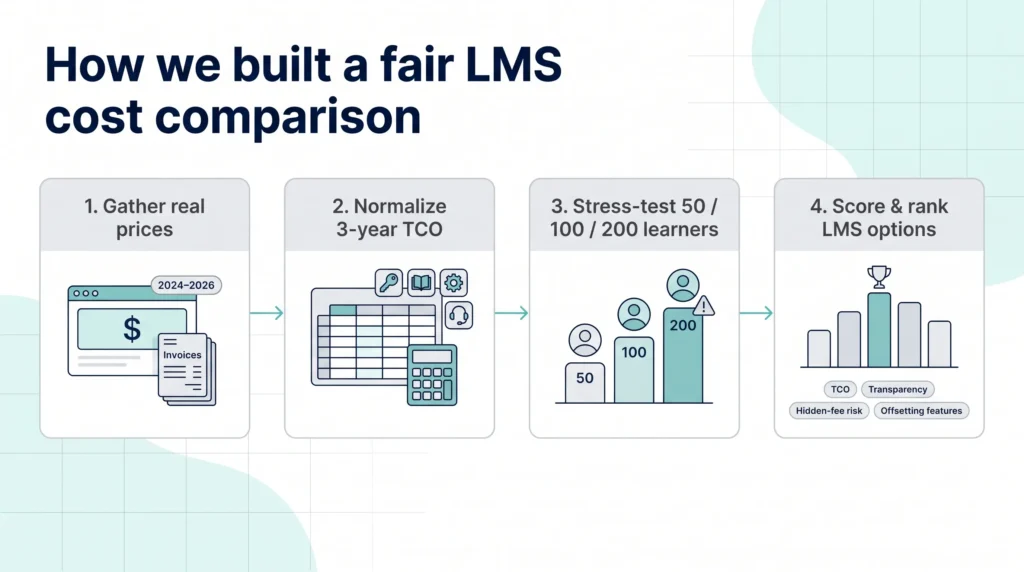
We know small jumps in headcount can blow up a budget, so we stress-tested each platform at 50, 100, and 200 learners. Where tiers forced you to pay for empty seats, we flagged the break point. When an “active user” model saved money during slow months, we measured that too.
Finally, we scored the platforms on four weighted factors: three-year TCO (40 percent), pricing transparency (20 percent), hidden-fee risk (20 percent), and extra features that offset cost, such as bundled courses or compliance automations (20 percent). The ranking you’ll see next comes straight from that math.
Short version: every claim below ties back to a real invoice, a published rate, or a repeatable cost formula. No smoke, no mirrors; just numbers you can plug into your 2027 budget.
Top 4 LMS Platforms: A Learning Management System Cost Comparison
GoSkills LMS: the “all-in-one and done” option
GoSkills even surfaces a “See price breakdown” button inside the admin Billing page; click it and you’ll see the exact per-learner rate, license count, and next charge date at a glance – handy when you need to sanity-check the 50-, 100-, or 200-seat scenarios in this article.
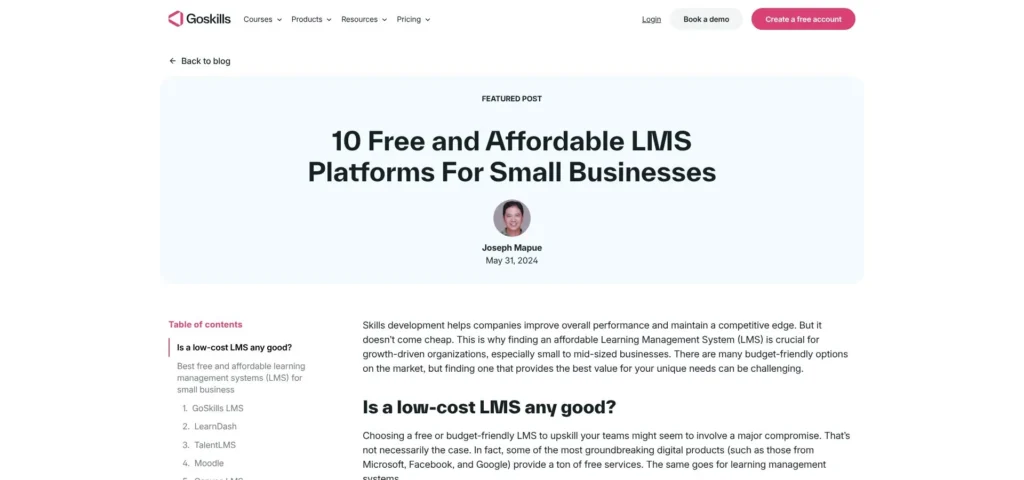
That commitment to cost clarity isn’t marketing spin; GoSkills publishes a side-by-side comparison of affordable LMS software that ranks ten budget platforms and spells out every entry-level fee.
Overview
GoSkills solves two headaches at once: finding an LMS and locating starter courses, all in one tidy subscription. You get the software plus a library of more than 500 bite-size business courses, so new teams can launch training the same day they swipe a credit card.
Transparency is the headline feature. Prices sit in plain sight on the GoSkills site, starting at about $13.91 per user each month when billed annually, and every plan spells out exactly what changes when you upgrade (hint: mostly how many courses or SCORM uploads you unlock).
Just as important, there are no setup fees, contract lock-ins, or surprise charges for storage or support. That simplicity makes budgeting almost boring (in a good way) because the only moving part is your learner headcount.
The platform itself is intentionally lightweight. Admins drag and drop content, track completions, and run clean reports without wading through enterprise clutter. Learners get a Netflix-style dashboard and micro-lessons that average under ten minutes, which keeps engagement up and seat-time costs down.
If your organization needs deep integrations or custom workflows, GoSkills may feel limited. But for companies that value speed, clarity, and an instant catalog of polished courses, this “plug-and-play” approach often beats piecing together an LMS plus a separate content marketplace. In other words, you trade granular control for predictable cost and zero fuss, and that’s exactly why GoSkills tops our list.
TalentLMS: flat rate pricing that grows with your team
Overview
TalentLMS wins fans by keeping costs as predictable as your Netflix bill. Every paid tier is a straight monthly figure tied to a user cap, so you always know the ceiling before you swipe the card.
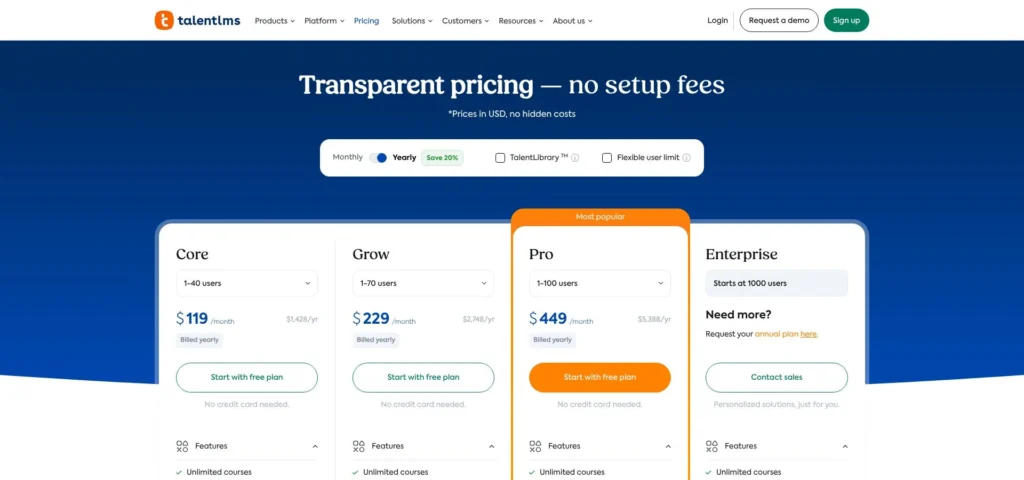
The free plan is more than a demo; five users and ten courses let you pilot real training without a timer ticking down. Step up to the Core plan at $119 a month and you unlock unlimited courses for up to forty learners (less than three dollars per user if you fill the seats).
That first upgrade feels painless until you add learner forty-one. Cross that line and TalentLMS bumps you to the Grow tier at $229. The jump doubles your bill for a single extra login, so we always tell clients to watch headcount like a hawk or negotiate overlap credits with sales.
Once you reach one hundred users, the Pro plan introduces a “Flex” add-on: extra seats cost six dollars apiece. That plug-in model smooths scaling; add ten contractors next quarter and you pay sixty extra dollars, not a whole new tier.
All core features – including SCORM uploads, SSO, API access, and a new AI course builder – sit in the base plans. You will not get nickeled for storage, reports, or phone support, which keeps surprise invoices off your desk.
What you do not get is content. If you need off-the-shelf courses, budget for a separate library or plan to build in-house. But for teams that already create material and just need a reliable delivery engine, TalentLMS offers one of the lowest per-learner costs on the market.
Bottom line: if your learner count is steady and you’re happy producing your own content, this platform stretches every training dollar. Set a calendar reminder when you approach each cap; learner forty-one is an expensive friend to forget.
Moodle: free to download, not free to run
Overview
Moodle is the world’s most popular open-source LMS, and the price tag of zero license fees sounds hard to ignore. But “free” ends the moment you spin up a server.
Go the do-it-yourself route and you need hosting (roughly $50–$200 a month for a mid-range cloud VM) plus an admin who patches, backs up, and rescues the site when plugins clash during upgrades. A 2026 hosting study pegs that labor at $6,000 to $29,000 a year for a part-time sysadmin, often more than a paid SaaS subscription would cost.
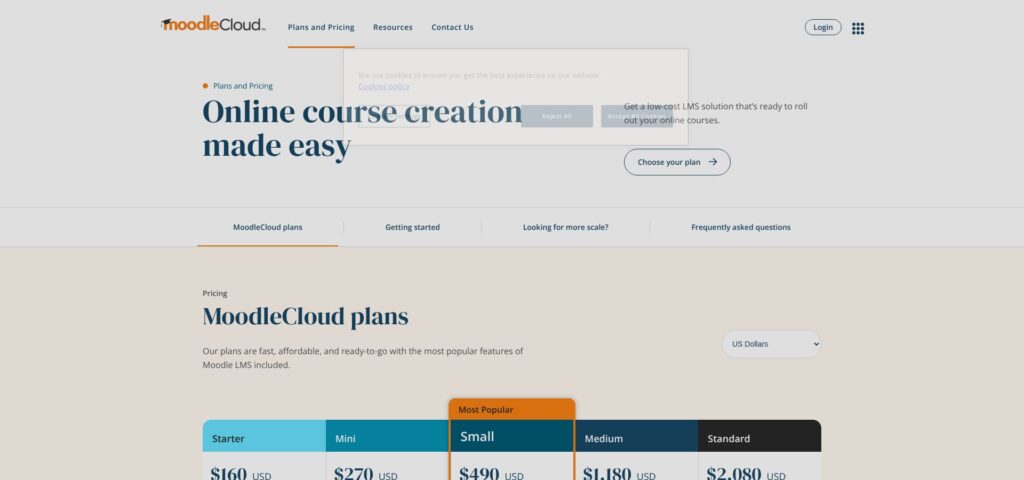
For teams without internal IT, MoodleCloud softens the blow. The official SaaS service starts at $160 a year for 50 users and tops out at $2,080 for 750 users. Those numbers beat every commercial platform in this list, but the trade-offs are real: tight storage caps, no custom plugins, and a hard stop at 750 learners. Grow bigger, and you’re migrating.
Whether you self-host or use MoodleCloud, support remains largely community-driven. Official partners will gladly sell managed hosting and concierge services, yet quotes often land between three and fifteen thousand dollars annually, wiping out the “free” advantage.
So who wins with Moodle? Organizations that already run their own servers, have Linux talent on payroll, and need deep customization love it. Everyone else should pencil in the hidden costs before celebrating that zero-dollar license.
In short, Moodle can be the cheapest or the priciest option on this list. It all depends on whether you’re paying with dollars or developer hours.
iSpring Learn: compliance power without sticker shock
Overview
iSpring Learn is the grown-up sibling in this lineup: still affordable but packed with the governance and audit tools larger firms need.
The platform’s calling card is its tight bond with iSpring Suite, a PowerPoint-based authoring tool favored by instructional designers for rapid course builds. With one click, authors push polished SCORM packages straight into the LMS, trimming days of file juggling from every rollout.
Still, software alone rarely wins budget approval; clean compliance reports do. iSpring Learn streamlines data management by tracking completions, expirations, and retraining cycles out of the box, then packages that data into auditor-ready dashboards. For HR or quality managers who dread quarterly compliance reviews, those ready-made visuals can cut prep time and, by extension, hidden labor cost.
Unlike our earlier contenders, iSpring prices by active user, so you pay only for the people who log in that month. Seasonal retailers, project-based contractors, or franchise networks with rolling cohorts often see real savings under this model.
In short, iSpring Learn targets mid-market teams that find TalentLMS a bit light on governance yet balk at six-figure enterprise quotes. It fills that gap by pairing transparent per-user fees with features that keep regulators and accountants happy.
Cost at a glance: how the four platforms stack up
Numbers tell stories faster than paragraphs, so let’s line the platforms up side by side.
| Scenario (annual) | GoSkills (Courses plan) | TalentLMS (Core / Grow / Pro) | MoodleCloud | iSpring Learn (Start / Business) |
| 50 learners | $8,347 | $2,748 (Grow) | $160 | $2,748 |
| 100 learners | $16,695 | $5,388 (Pro) | $270 | $2,748 |
| 200 learners | $33,390 | $5,388 (Pro cap 100) + $7,200 (100 Flex seats) → $12,588 | $490 | $11,304 |
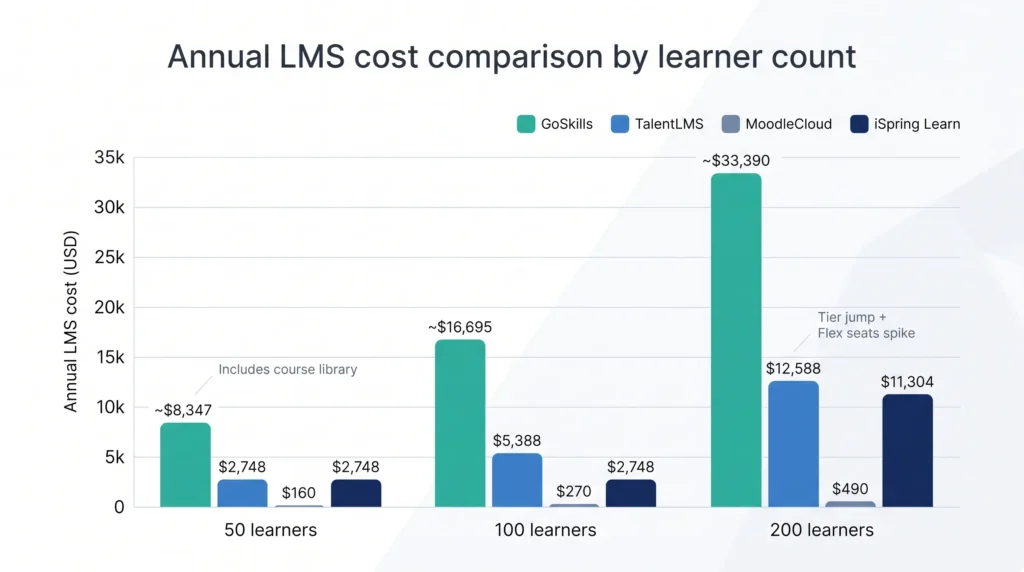
Read the table left to right, and two patterns jump out.
First, MoodleCloud is absurdly cheap until you outgrow the 750-user ceiling or need custom plugins. If you fit inside those guardrails, nothing else comes close on raw dollars.
Second, TalentLMS delivers the best value among commercial SaaS options, unless you cross a tier boundary. The moment you do, per-learner spend spikes before settling again, so capacity planning matters.
GoSkills looks pricey until you remember the subscription wipes out a separate content budget. Factor in what you already pay for LinkedIn Learning or Skillsoft, and the math often flips.
Finally, iSpring sits comfortably in the middle. It is never the cheapest line item, but once you add compliance labor or third-party course fees to rivals, its all-in cost lands surprisingly close to the low-end players while delivering enterprise-grade reporting.
That’s the high-level snapshot. Next, we’ll unpack when each pricing model actually saves or sinks your budget.
Also Read: Top Productivity Tools that Will Help You Save Time and Cost
Spot hidden costs with this five-minute checklist
Price tables help, but they will not catch every hidden expense. Run through the questions below before you sign any contract and you will avoid about ninety percent of the surprises we hear about in post-mortems.
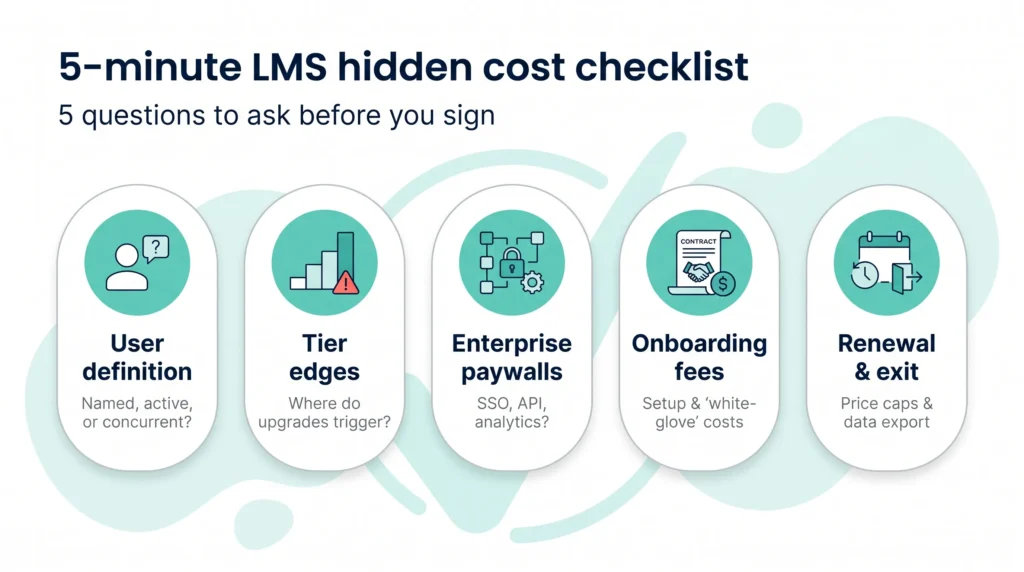
- How does the vendor count a “user”? Named, active, or concurrent: the definition changes everything. If only half your learner pool logs in each month, an active-user model like iSpring can cut your bill in half. If turnover is high, make sure you can recycle licenses without paying twice.
- What happens at the tier edge? Find the exact line where the platform forces an upgrade or overage fee. With TalentLMS that line is learner forty-one; with MoodleCloud, it is user seven-hundred-fifty. Map your headcount forecasts against those cliffs before procurement signs off.
- Which “enterprise” features sit behind a paywall? SSO, API access, or advanced analytics sometimes hide in higher plans. GoSkills folds most tools into the base price, while other vendors charge extra or restrict lower tiers. List the features you must have on day one and confirm they are included.
- Are there onboarding or implementation fees? SaaS should be plug and play, but some enterprise vendors still tack on a five-figure “white-glove” package. Even with open-source Moodle, you pay in developer hours if you skip a managed host. Get a fixed quote or a guarantee that you can self-implement before your CFO green-lights the project.
- What is the renewal and exit policy? Ask for a cap on annual price increases and a clear data-export path if you leave. A two-percent savings today means little if the rate can jump twenty percent next year or you have to ransom your own course files on exit.
Work through these five checks, and you will enter negotiations armed with the numbers that matter. Vendors respect buyers who know where costs hide, and they often sharpen pencils accordingly.
Conclusion
Keep these answers handy and most pricing conversations turn from stressful to straightforward. After all, the best negotiating tool is simply knowing the next question to ask.
FAQs:
Why do price models differ so wildly?
Vendors build billing schemes around their ideal customer. Flat tiers like TalentLMS favor companies where the same people train every week, while active-user pricing from iSpring rewards seasonal spikes. Open-source Moodle removes license fees entirely, betting you have IT muscle instead of cash. Match the model to your usage pattern and you will avoid paying for empty seats or sudden surges.
Is “free” ever truly free with an LMS?
Only if your time costs nothing. Moodle’s code is free, but hosting bills and upgrade headaches still land on your desk. Even free SaaS tiers cap users or course slots, nudging you to pay the moment training gains traction. Use a free plan to prototype, and budget for the day you grow past hobby scale.
Where do vendors usually hide costs?
Look for three pressure points: user overages, premium integrations, and support tiers. Learner forty-one in TalentLMS or user seven-hundred-fifty-one in MoodleCloud triggers an immediate price hike. APIs, single sign-on, or analytics sometimes sit behind higher plans. “Priority support” can quietly add five figures a year in large contracts. Read the fine print before procurement signs.
How often do prices increase?
Most SaaS vendors build a three- to seven-percent annual uplift into renewals to cover inflation. Enterprise suites may rise more aggressively if you skip multi-year deals. Negotiate a cap, ideally tied to consumer-price-index numbers, when you sign the first order form.
Do AI features drive the bill up?
So far, no. Vendors add AI course builders or chatbots to stay competitive and roll them into existing tiers at launch. But remember the cloud bills behind AI are not free. Expect optional “pro” AI modules to surface by 2027; lock in language stating that future platform features remain included, or at least discounted, during your contract term.